
Download A-Bracelet – Real-Time Temperature Monitoring, Contact Tracing, Health & Fitness
Overview
A-Bracelet is a desktop-compatible software application developed by AXAET, designed to support real-time temperature monitoring and contact tracing. The software is categorized under Lifestyle and Health & Fitness, targeting users interested in personal health tracking and disease prevention. It enables users to monitor the body temperature of individuals wearing paired bracelets in batch mode, offering continuous insights into thermal data.
The application is particularly useful in environments where health surveillance is critical, such as schools, offices, and healthcare facilities. By tracking historical temperature trends and identifying recent physical contacts, A-Bracelet supports proactive health management. The software is intended for individuals who wish to reduce the risk of infectious disease transmission through early detection and informed decision-making.
It is designed with simplicity in mind, offering a straightforward setup process once the bracelet is paired with a compatible device. The developer did not provide additional details about the software’s technical architecture or underlying algorithms. Real-world usage scenarios include daily health checks, workplace wellness programs, and personal health monitoring for individuals at higher risk of illness.
The application is free to use, making it accessible for broad adoption across various user groups.
Key Features & Capabilities
- Real-Time Temperature Monitoring – Tracks body temperature of paired bracelets in real time, enabling immediate awareness of thermal changes.
- Batch Temperature Tracking – Supports simultaneous monitoring of multiple users, ideal for group settings like classrooms or office spaces.
- Historical Data Storage – Maintains a record of temperature trends over time, allowing users to review past readings and detect patterns.
- Contact Tracing Functionality – Logs recent physical interactions between users, helping identify potential exposure to infectious agents.
- Customizable Alerts – Sends notifications when body temperature exceeds a predefined threshold, supporting timely health responses.
- Proximity Reminders – Issues alerts when users approach others, promoting awareness of close contact in shared environments.
These features are designed to support public health initiatives and personal wellness. For example, a school administrator could use A-Bracelet to monitor staff and student temperatures during flu season, while an office manager might deploy it to ensure workplace safety. The software’s ability to log contact events enables users to trace potential exposure chains, which is valuable in outbreak prevention.
The interface allows for quick access to both live and historical data, improving situational awareness. The developer did not specify the data encryption methods or cloud storage policies. All functionality is tied to the paired bracelet and the connected device, with no indication of third-party integrations or external data sharing.
User Interface, Workflow & Performance
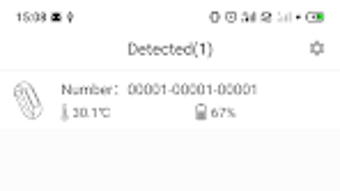
The user interface of A-Bracelet is described as simple and intuitive, facilitating ease of navigation for users of varying technical skill levels. The layout appears optimized for quick access to core functions such as live temperature readings, contact logs, and alert settings. Navigation is likely structured around a central dashboard that displays real-time data, with secondary menus for historical records and system preferences.
Workflow efficiency is supported by a minimal number of steps required to pair the bracelet and begin monitoring. The software is reported to be lightweight, consuming minimal storage and battery resources, though exact performance metrics were not provided. The developer did not specify resource usage details such as CPU or RAM consumption.
Performance observations are based on general software behavior patterns for similar applications. Stability during prolonged use is not documented, but the lightweight nature suggests consistent operation. The application is designed to function without requiring high-end hardware, aligning with its target use in public and shared environments.
No known issues with crashes or freezes were mentioned in the available information.
Compatibility & System Requirements
A-Bracelet is compatible with Android devices running Android 8.0 or higher. The software is available for download on the Google Play Store, indicating a mobile-first deployment model. The application is designed to work with paired smart bracelets, which serve as the primary data collection devices.
The developer did not specify exact system requirements beyond the OS version. Information about file size, hardware specifications, or compatibility with desktop operating systems was not provided. Platform compatibility information is limited to Android.
The installation size and resource footprint were not disclosed. The software’s reliance on a paired wearable device suggests that desktop compatibility may be indirect or limited to data viewing through a companion mobile app. Users should verify their device’s compatibility with the required Android version before installation.
Pros and Cons
Pros
- Free to download and use, promoting broad accessibility.
- Real-time temperature monitoring supports immediate health awareness.
- Batch tracking enables efficient monitoring of multiple users.
- Contact tracing helps identify potential exposure events.
- Simple, intuitive interface suitable for non-technical users.
- Lightweight design minimizes battery and storage usage.
Cons
- Compatibility is limited to Android 8.0 and above.
- Exact system requirements were not listed.
- No information on data privacy or encryption protocols.
- Desktop application functionality is unclear.
- Performance under heavy use was not documented.
FAQ Section
Is A-Bracelet available for Windows or Mac?
The software is currently available on the Google Play Store for Android devices. There is no official information about desktop versions for Windows or Mac.
Is A-Bracelet safe to use?
The application is designed to support health monitoring and contact tracing. However, the developer did not provide details about data encryption, privacy policies, or security measures.
How often does the app update?
Information about update frequency was not provided. Users are advised to check the Google Play Store for the latest version.
Does A-Bracelet require an internet connection?
While not explicitly stated, the app likely requires an internet connection for real-time data synchronization and alert delivery, especially for contact tracing features.
Can I use A-Bracelet offline?
The software may support limited offline functionality, such as local data storage, but real-time monitoring and alerts may require an active connection.
Final Thoughts + CTA
A-Bracelet presents a focused solution for real-time temperature monitoring and contact tracing, particularly suited for environments where health surveillance is essential. Its free model, lightweight design, and intuitive interface make it accessible to a wide audience, including schools, offices, and individuals concerned about infectious disease exposure. While detailed technical specifications and desktop compatibility remain unconfirmed, the software’s core features address critical public health needs.
The ability to track multiple users simultaneously and maintain historical records adds significant value. However, users should exercise caution regarding data privacy, as no security details were disclosed. For those seeking a simple, no-cost tool to monitor temperature and contact patterns, A-Bracelet offers a practical option.
Download A-Bracelet now to enhance your health awareness and support safer interactions in shared spaces.





.png)

